Export Gedcom
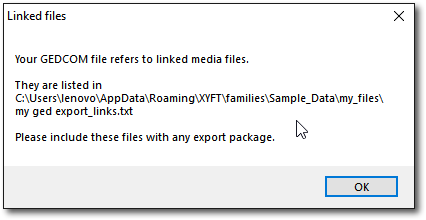
The Export Gedcom feature creates a standard GEDCOM file for use in other genealogy programs. The exported file will contain references to all linked media and external files and these can be packaged separately, if necessary, with the GEDCOM file.
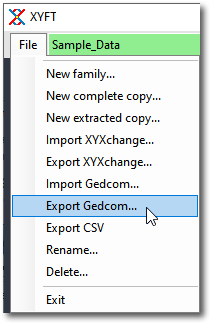
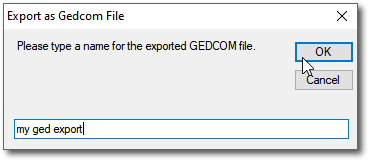
Give it a name
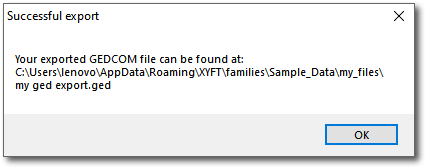
And a new file will be created. Make sure you note where it's located on your PC.
Warning on dates
XYFT handles dates very flexibly, GEDCOM does not. XYFT does NOT insist that the date format you use for date of birth, date of marriage, or indeed any other date, complies with the rules of GEDCOM. If you wish to export your data to a GEDCOM file that complies with GEDCOM rules you must make sure that all your dates are in the format “dd MMM YYYY”, e.g. 10 MAR 1910 or any of the other specs. Some GEDCOM programs will accept a variety of formats but may well ruin the dates in the process. For instance, you might write 4/1/1900 meaning 4th January 1900. You can export your data as GEDCOM and import it into another program that insists that date is 1st April 1900. The safest way would be to write it as 04 JAN 1900.
And another potential problem with exporting and importing is that the importing program might insist on a particular encoding for the file. XYFT exports using UNICODE. Some programs might insist that the file must be in UTF-8. It’s easy to fix though – just append .txt to the GEDCOM file name, e.g. myfamily.ged becomes myfamily.ged.txt, open it using Windows Notepad and save it using the UTF-8 encoding, then revert the name to myfamily.ged.
Created with the Personal Edition of HelpNDoc: Easily create Help documents