Making Project Notes and ToDo list
There are 5 places for notes
- Brief Note
- Notes
- Private Notes
- Project Notes
- To-Do List

and
Brief Note (only for use when displaying on the website)
These notes are intended just to add a short note when displaying your family on the XY Family Tree website.
Notes (about the Person) (to display generally)
These are notes about the person currently displayed. These notes would be available for all to see when placed in your folder on the XY Family Tree website. They also display in the Ancestral View (see below).
Private Notes (not for display)
These notes are shown only in XYFT and will not appear in any other view. They are for you to keep jottings and reminders about this person to help in the project. They are not the same as Project Notes that are described next. The Private Notes may be copied to the clipboard from the Tools menu, and from there, may be pasted into any document and printed. These notes do not get exported if you use the Export Gedcom feature.
Project Notes
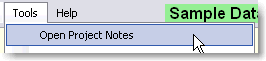
Project notes are kept in an external document that may be edited in any word or text processor. This is a document for storing the overview of your project or any other information, links or reminders that you need. When you first start XYFT, the project notes can be found in a file ProjectNotes.txt – this is the initial default document for notes. You may however, prefer to use a word-processed document, spreadsheet or other document. Whichever document you choose, it will be the default document next time you start XYFT.


To-Do List
Similar to Project Notes but fulfilling a different purpose.
Created with the Personal Edition of HelpNDoc: Free EPub and documentation generator